
Talk Through Wix, WordPress, or Webflow for Your Specific Site
An hour of conversation with your actual requirements on the table.
Platform comparisons
We maintain and migrate all three for a living and sell none of them, which makes this the rare comparison with no thumb on the scale.
In 2026: Wix fits owner-operated simple sites that value ease over control; WordPress fits content-heavy sites that want ownership and can fund maintenance; Webflow fits design-led marketing sites with a team or partner to operate it. The durable differences are ownership, performance ceiling, and exit difficulty, not the feature checklists.
| Dimension | Wix | WordPress | Webflow |
|---|---|---|---|
| Ownership | Site must stay hosted on Wix | Code and data are yours | Code exports; CMS content does not come with it |
| Performance ceiling | Platform-set, low | Yours to raise, and to ruin | High for static, fixed at platform level |
| Maintenance burden | Near zero | Real and continuous | Low to moderate |
| Exit difficulty | Hardest: site must stay on Wix | Easiest | Moderate |
| SEO/AEO floor | Adequate | Excellent if maintained | Excellent by default (static HTML) |
This table is our assessment from running all three; the sourced facts are in the next section.
Exit difficulty is the row that separates these three most clearly. Linked facts come from the vendor's own documentation, checked 10 October 2026; unlinked cells are our description.
Sources, checked 10 October 2026
Wix is the lower-effort choice for a simple, owner-run site, and the cost is that the site cannot leave Wix as it is. WordPress takes more upkeep and gives you the code, the data, and the choice of host. If you expect to grow past a builder or move later, start on the platform you can leave. What each costs to run is covered on the Wix and WordPress pages, and moving between them is the Wix to WordPress migration path.
Webflow sits between the other two. It gives a design team more control than Wix and takes less upkeep than WordPress, but its export leaves the CMS behind. Against WordPress, the decision is control and exit cost, covered in the dedicated Webflow vs WordPress comparison. Against Wix, Webflow is the step up for a site that has outgrown a builder but still wants the platform operated for it.
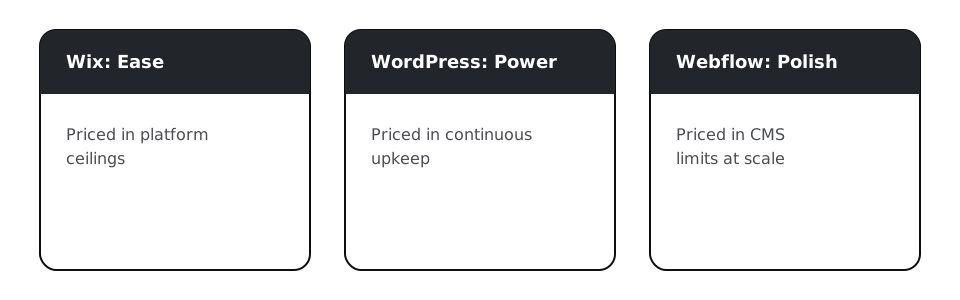
Platform choice is really a maintenance-appetite choice. WordPress's power is priced in upkeep, which retainers exist for, on the Website Management page; Wix's ease is priced in ceilings, mapped on the Wix page; Webflow's polish is priced in CMS limits at scale. Choose the cost you can actually carry.
If you are reading this page with a site already hurting, the comparison is retrospective; what you need is the exit process: assessment, 301 map, staged cutover, on the Migrations page. We migrate all six directions between these three, which is its own kind of comparison data.

An hour of conversation with your actual requirements on the table.
Leave your platform, keep your rankings: full 301 redirect mapping, staged cutover, and 90-day post-migration rank monitoring, plus zero-data-loss AWS server and database migrations.
Predictable monthly retainers that keep your website updated, secure, backed up, and monitored, on any platform, including custom PHP/CodeIgniter applications.
What we fix, maintain, or migrate specifically on Wix.
What we fix, maintain, or migrate specifically on WordPress.
What we fix, maintain, or migrate specifically on Webflow.
Webflow's real limits, when converting actually fixes them, and when it doesn't.
Going deeper
All three can rank; WordPress and Webflow have the higher ceilings. The differentiator is discipline: structure, speed, and schema, which are implementation choices on any platform.
Wix has the lowest sticker and the highest exit cost; WordPress has low entry and continuous maintenance cost; Webflow sits between. Total cost follows how long you stay and how you leave.
Yes, and many do; just know the export limits before you build your business on them. The move is a documented process, not a catastrophe.
Wix is easier to run and cannot be moved as it is, since its help center says the site must be hosted on Wix. WordPress takes more upkeep and gives you the code, the data, and the choice of host.
In our experience Webflow gives a design team more control, at the cost of more setup, while Wix is simpler for an owner-run site. Both host the site for you, and the Webflow code export leaves CMS content behind.
No, it's unfashionable, which is different. It still runs a plurality of the web, and its ownership story is unmatched. Unmaintained WordPress is dying; maintained WordPress is fine.
The one whose costs you can carry, which the summary above maps. For your specific site, that's an hour's conversation with your actual requirements on the table.
Platform comparisons
The audit tells you whether your current platform is actually the ceiling, or whether the implementation on top of it is.