
Every Other Platform Migration We Run
Every platform migration we run, and the guaranteed process behind it.
Website migration
You've hit the platform's ceiling: the features it won't add, the speed it won't reach, the export button it barely has. Moving to WordPress is routine when it is done as a process instead of a weekend.
Migrating from Squarespace or Wix to WordPress preserves your SEO when every old URL 301-redirects to its new home and content moves unchanged. The $495 assessment inventories your URLs and extractable content first; the migration is quoted fixed from $1,500 and cut over with the old site still live.
Leaving a builder is mostly an extraction problem. Squarespace offers a partial export built for WordPress import, and Wix does not let the site run anywhere else. The practical consequence is that extraction, not WordPress setup, is the work, and it must be audited before quoting. That's the assessment's whole job.

The two builders differ most on export. Linked facts come from each vendor's own documentation, checked 10 October 2026; unlinked cells are our description.
Sources, checked 10 October 2026
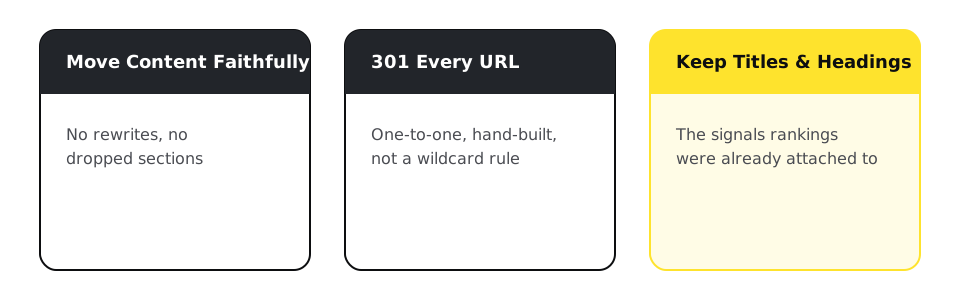
Rankings attach to URLs and content, not platforms. Move the content faithfully, 301 every URL one-to-one, keep titles and headings, and rankings follow within weeks. The builder-specific catch: Squarespace and Wix generate URL patterns WordPress won't reproduce, so the redirect map is hand-built, and that is normal.
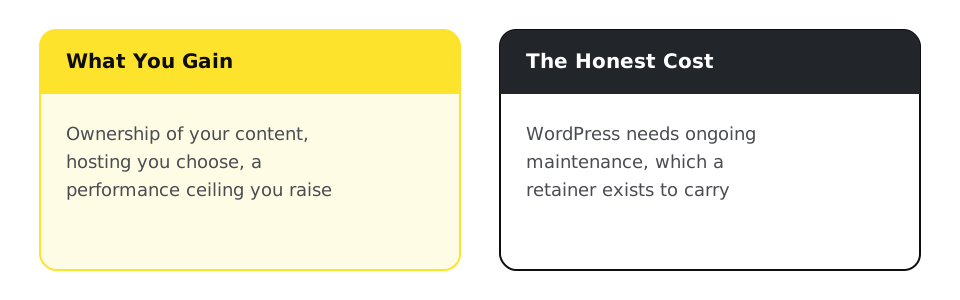
Ownership. Your content in a database you control, hosting you choose, performance ceilings that are yours to raise on the Core Web Vitals page, and no feature waitlist. The honest cost: WordPress needs maintenance, which is what retainers are for, from $97/month on the Website Management page. If the ceiling you've hit is cosmetic, we'll tell you to stay; the assessment sometimes ends that way.
In several cases, WordPress is not actually the destination even when Squarespace or Wix is genuinely showing strain.
Content and structure, not the platform: the fix is optimizing what you have, not migrating off it.
Shopify fits growing catalogs and checkout complexity better than WordPress plus WooCommerce ever will.
A static Astro or Next.js site skips WordPress's own overhead entirely.
Member roles, scheduling, or an approval chain. Neither Squarespace, Wix, nor WordPress is built to run that; a custom application is.
WordPress is the right target specifically when the need is content ownership, editorial workflow, and a plugin-solved feature the old builder structurally can't reach. The Squarespace vs WordPress comparison and the Wix vs WordPress vs Webflow comparison set out the trade-offs with sources.
Every migration produces a file like this covering every URL on the old site:
apache
# .htaccess excerpt - one entry per legacy URL, no wildcards for money pages
Redirect 301 /shop/blue-widget        https://example.com/products/blue-widget/
Redirect 301 /about-us                https://example.com/about/
Redirect 301 /blog/2023/05/big-news https://example.com/blog/big-news/Every platform migration we run, and the guaranteed process behind it.
Manual engineering against real-user field data, not another caching plugin. Fixed-fee diagnostic and remediation sprints measured against 28-day CrUX data.
Predictable monthly retainers that keep your website updated, secure, backed up, and monitored, on any platform, including custom PHP/CodeIgniter applications.
What we fix or maintain on Squarespace if you decide to stay instead of migrating.
Ongoing WordPress support once the migration is done.
Going deeper
Not if the migration maps every URL one-to-one and moves content unchanged. Fluctuation for a few weeks is normal; loss comes from skipped redirects, which is why the map is built from a full URL inventory, not a template.
Run the assessment, then export the XML file Squarespace provides for WordPress import, rebuild what it leaves out (store pages, products, styles), map every old URL one-to-one, verify on staging, and cut over once the checks pass.
Wix's help center says the site must be hosted on Wix, so there is no whole-site file to import. Pages, posts, and media are extracted and rebuilt on WordPress, store products export as CSV, and every old URL gets a 301 to its new address.
Yes, though it is the hardest part: posts are extracted separately and verified against the URL inventory. The assessment tells you exactly what is recoverable before you pay for the migration.
$495 for the assessment, credited toward the migration; the migration quotes fixed from $1,500. Page count, blog size, and e-commerce move the number, and the quote itemizes them.
Yes, until cutover is verified: the live site is both your revenue and your rollback. One extra month of builder fees is cheap insurance.
No. Commerce at scale usually fits Shopify better, pure speed and ownership without a page-builder GUI points to Astro or Next.js, and an actual workflow, not content, points to a custom application. The assessment names which of those fits before anything gets quoted.
You, or us. WordPress trades the builder's ceiling for maintenance responsibility, and our retainers from $97/month exist for exactly that trade.
Website migration
If the ceiling you've hit might be fixable without leaving your platform, a technical audit checks that before you commit to a migration.