
Migrating Off Squarespace the Ranking-Safe Way
Leave your platform, keep your rankings: full 301 redirect mapping, staged cutover, and 90-day post-migration rank monitoring, plus zero-data-loss AWS server and database migrations.
Platforms we support
Squarespace earns its popularity for design-led simple sites, and hits real walls at scale: SEO control, performance tuning, and export completeness. Here is the engineer's map of both.
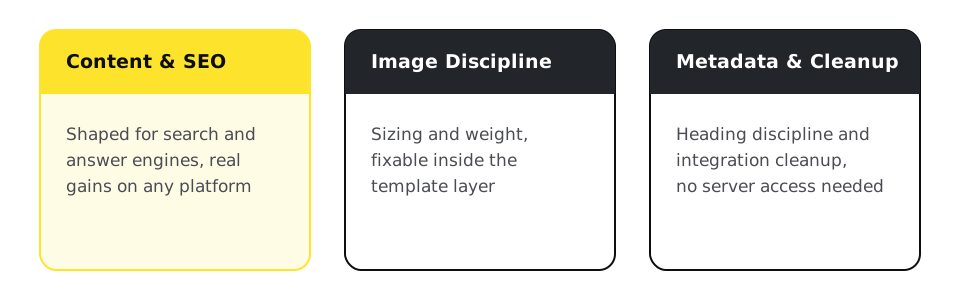
Squarespace sites can be improved in place through image discipline, content structure, and metadata hygiene, but server access, deep performance work, and full data export are platform ceilings. Breezy Sites optimizes within them and migrates you out ranking-safe when the ceiling is the problem, starting with a $495 assessment.
Content shaped for search and answer engines, image sizing, metadata and heading discipline, and integration cleanup. Squarespace's templates are structurally decent HTML, so content-side gains are real. If in-place fixes cover your goals, the assessment will say exactly that.
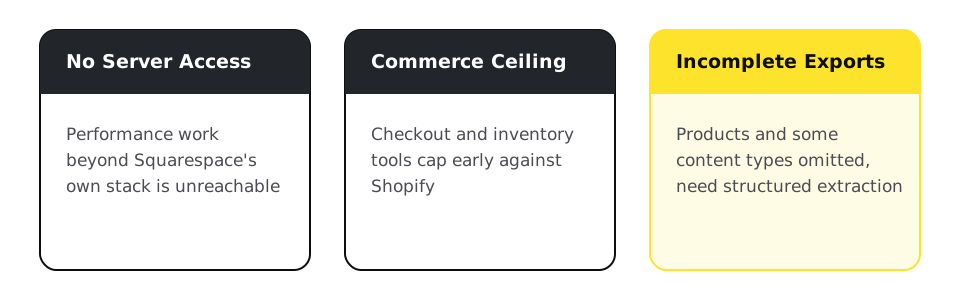
No server access, so performance beyond Squarespace's stack is unreachable; commerce features cap early against Shopify; exports omit products and some content types, so leaving requires structured extraction. None of these matter until they do, growth is what makes them matter.
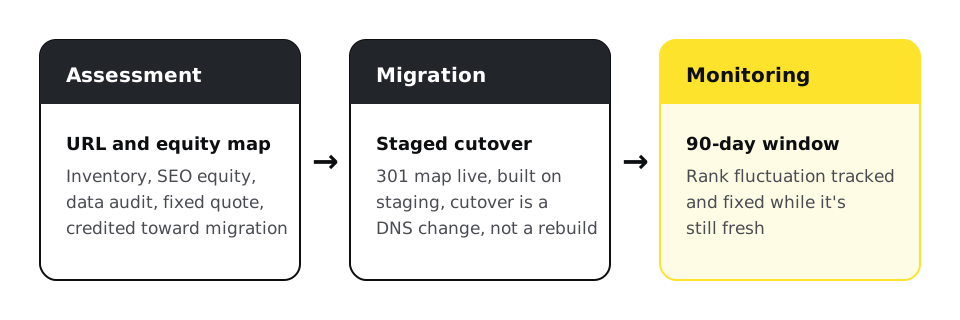
Full URL inventory, a hand-built one-to-one 301 map, faithful content transfer, staged cutover, 90 days of rank monitoring, on the Migrations page. Commerce sites usually route to Shopify.
Match the move to the actual limit, not to whichever platform gets recommended by default.
The assessment checks which of these applies before anything gets quoted.

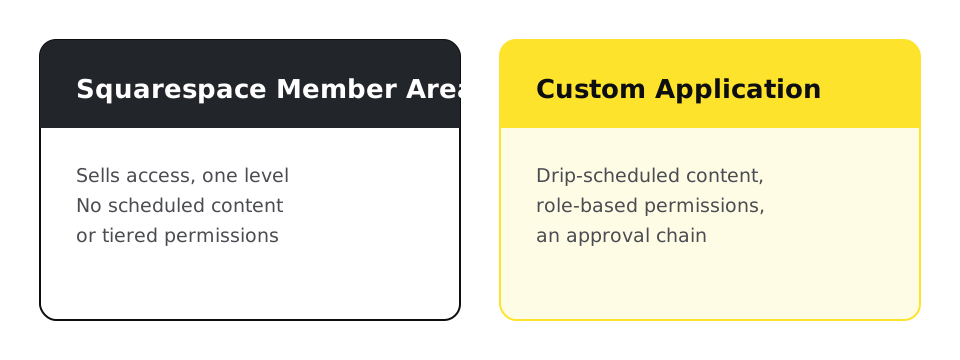
Squarespace's Member Areas sell access, but they can't gate content on a schedule or offer tiered access levels, and the extensions marketplace sits around 40 listings against thousands elsewhere, so a real workflow (drip-scheduled content, role-based permissions, an approval chain) usually hits a wall custom code on the Basic plan can't clear either. At that point the honest fix isn't a better Squarespace workaround, it's a small custom application sitting next to the marketing site, not replacing it.
Leave your platform, keep your rankings: full 301 redirect mapping, staged cutover, and 90-day post-migration rank monitoring, plus zero-data-loss AWS server and database migrations.
Evidence-graded audits of how ChatGPT, Perplexity, and AI Overviews actually see your site, documented crawler behavior, not agency folklore.
Predictable monthly retainers that keep your website updated, secure, backed up, and monitored, on any platform, including custom PHP/CodeIgniter applications.
Custom code, upkeep, and what a Squarespace export carries.
How Squarespace compares to Shopify for e-commerce specifically.
The exact process for moving off Squarespace to WordPress instead.
Going deeper
Not with a complete 301 map and unchanged content. Expect brief fluctuation, monitored for 90 days. The risk lives in skipped URLs, which the inventory step exists to prevent.
Mostly image weight and template JavaScript, plus whatever third-party embeds you've added. Images and embeds are fixable in place; the template layer is Squarespace's.
Yes: content structure, metadata, and answer-shaped pages work on any platform that renders HTML, and Squarespace does. The platform limits schema depth, and we work to that limit honestly.
Official exports skip products, member areas, and some block types. Structured extraction recovers most of it, and the $495 assessment tells you precisely what your site can take with it.
Yes. Retainers cover content operations, integrations, and monitoring on Squarespace exactly as elsewhere, from $97/month.
Not natively. Member Areas sell access, but there is no built-in tiered access or scheduled content release, so anything beyond a single access level needs either a workaround extension or a small custom application next to the site.
Depends which wall you hit. Content ownership and plugins point to WordPress, outgrowing checkout points to Shopify, and a workflow (approvals, roles, scheduled access) points to a custom application. The assessment names which one before you commit to a rebuild.
Platforms we support
The audit tells you whether your ceiling is fixable in place or whether the platform itself is the limit, before you commit to either.